Why schools make the move.
Flight Schedule Pro is capable software a lot of schools know well. Here is what the same money buys on this side.
The price is on the website
$229 a month for up to 10 aircraft, $15 for each one after that. Unlimited students, instructors and staff. Month to month. If you need a sales call to learn what your renewal costs today, that alone is a reason to look.
Maintenance is on the calendar, not in a separate module
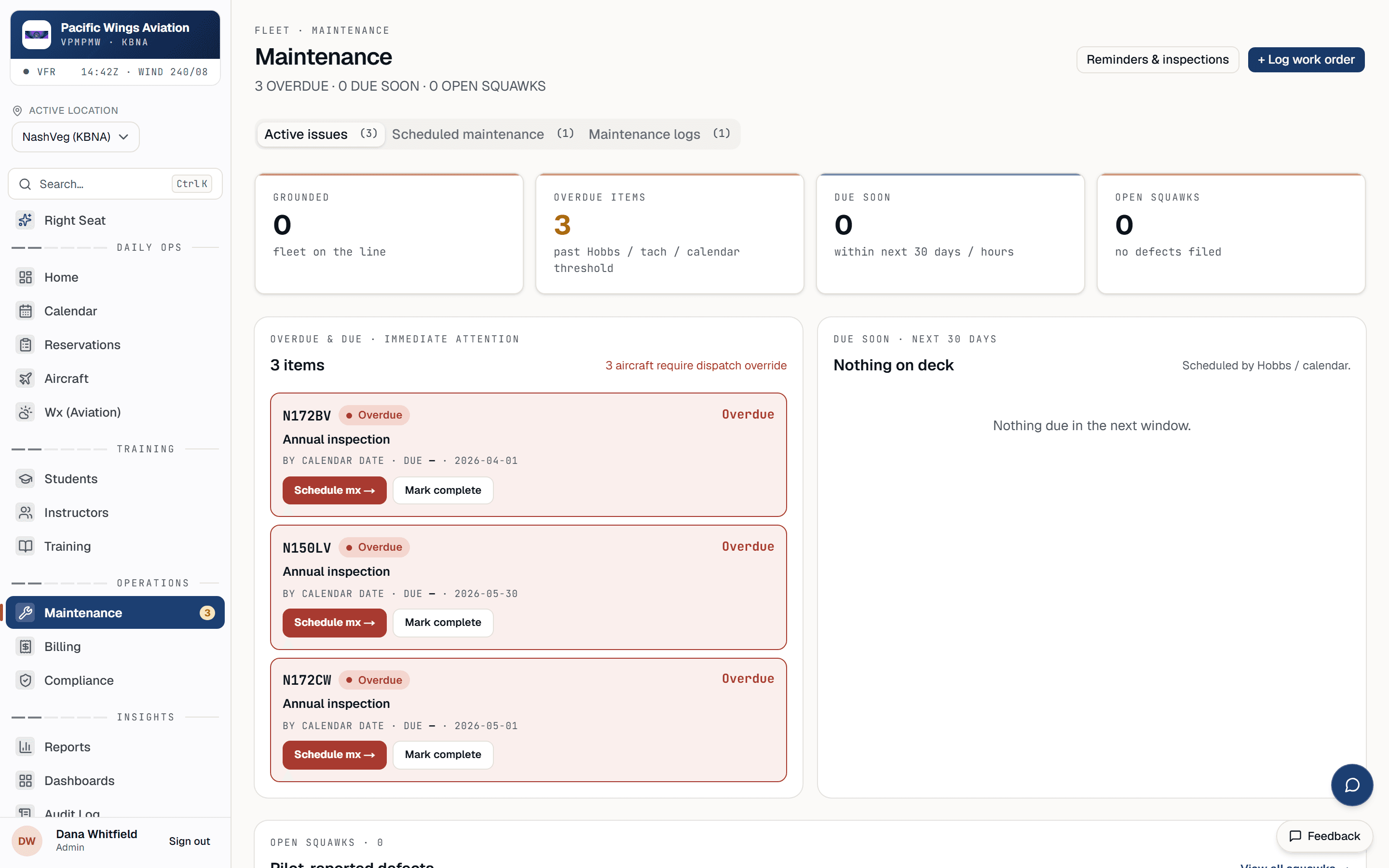
Inspections count down with every Hobbs entry. When one comes due the aircraft pulls itself off the schedule and the bookings it collides with are surfaced with alternatives. Return to service when the work is signed off.
Billing from what actually flew
Closing a flight writes the invoice from the meter reading and the booked block, and it lands open for you to review. Nothing is charged behind your back. QuickBooks Online syncs nightly and on demand.
Students book themselves, against your rules
Checkouts, endorsements, instructor currency, maintenance status, lead time and operating hours are all checked before a slot is offered. Staff can override the soft ones with a reason on the record.
What moves over.
Everything below is something the import tools do today, not a promise.
No cut-over moment to get wrong.
Export and import
Pull your student, instructor and aircraft lists from FSP as CSV. Run the import wizard: it auto-maps the common column formats and you preview matched rows before anything is written. Send balances and the maintenance due list with them and we load those.
Rates, maintenance, policies
Set aircraft and instructor rates, add the recurring inspections per aircraft (or accept the standard Part 91 set), set your lead-time and cancellation policies, and invite students to the portal.
Go live, keep FSP open
Take the first bookings. Run both systems side by side for as long as you like; there is no cut-over moment you can get wrong. We're on email, usually within the hour, while you settle in.
Maintenance that takes the plane off the schedule.
The page most owners ask to see first. Overdue and due-soon items per aircraft, and the calendar already knows.
The questions we get.
We still have months left on our FSP term.
Run both in parallel. Your trial is 30 days with no card; after that it's month to month, so overlapping two bills is your choice, not a lock-in.
Who owns the data once it's in Av8Book?
You do. Every report exports to CSV, and there is a documented API. Leaving is as easy as arriving.
What about QuickBooks?
Customers, invoices and payments sync to QuickBooks Online nightly and on demand. Every invoice line maps to a single Av8Book Services item in QuickBooks, so totals reconcile and the line-level detail stays in Av8Book. We say that plainly because it matters to some bookkeepers.
Can you just do the whole move for us?
Yes. The migration concierge is $500 one time: send us the exports and we load students, fleet, balances, maintenance items and upcoming bookings, then walk you through it. Or do students, instructors and aircraft yourself with the wizard for free and send us the rest.
Want the math for your fleet?
Tell us how many aircraft you run and roughly what you pay today. We'll send it back side by side, no call required.